![Knowledge-base-logo-1.png]](https://support.flatratenow.net/hs-fs/hubfs/Knowledge-base-logo-1.png?height=40&name=Knowledge-base-logo-1.png)
With the FlatRateNOW PDF Editor, you can create new templates or modify the existing templates to suit your styling.
How do I access the PDF Templates?
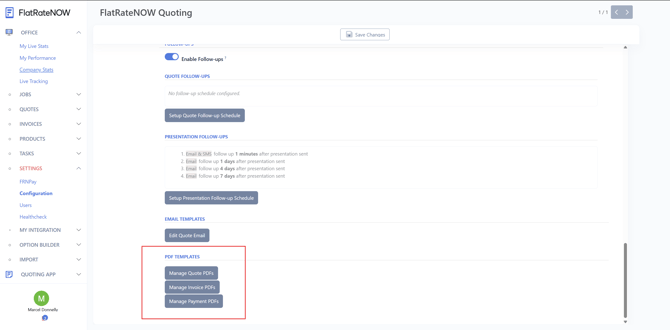
- Log into your FlatRateNOW Office
- Go to Settings > Configuration > General > Email
- Under PDF Templates, you will have:
- Manage Quote PDFs
- Manage Invoice PDFs
- Manage Payment PDFs
- After selecting any of the above, press 'New' on the top right to begin