![Knowledge-base-logo-1.png]](https://support.flatratenow.net/hs-fs/hubfs/Knowledge-base-logo-1.png?height=40&name=Knowledge-base-logo-1.png)
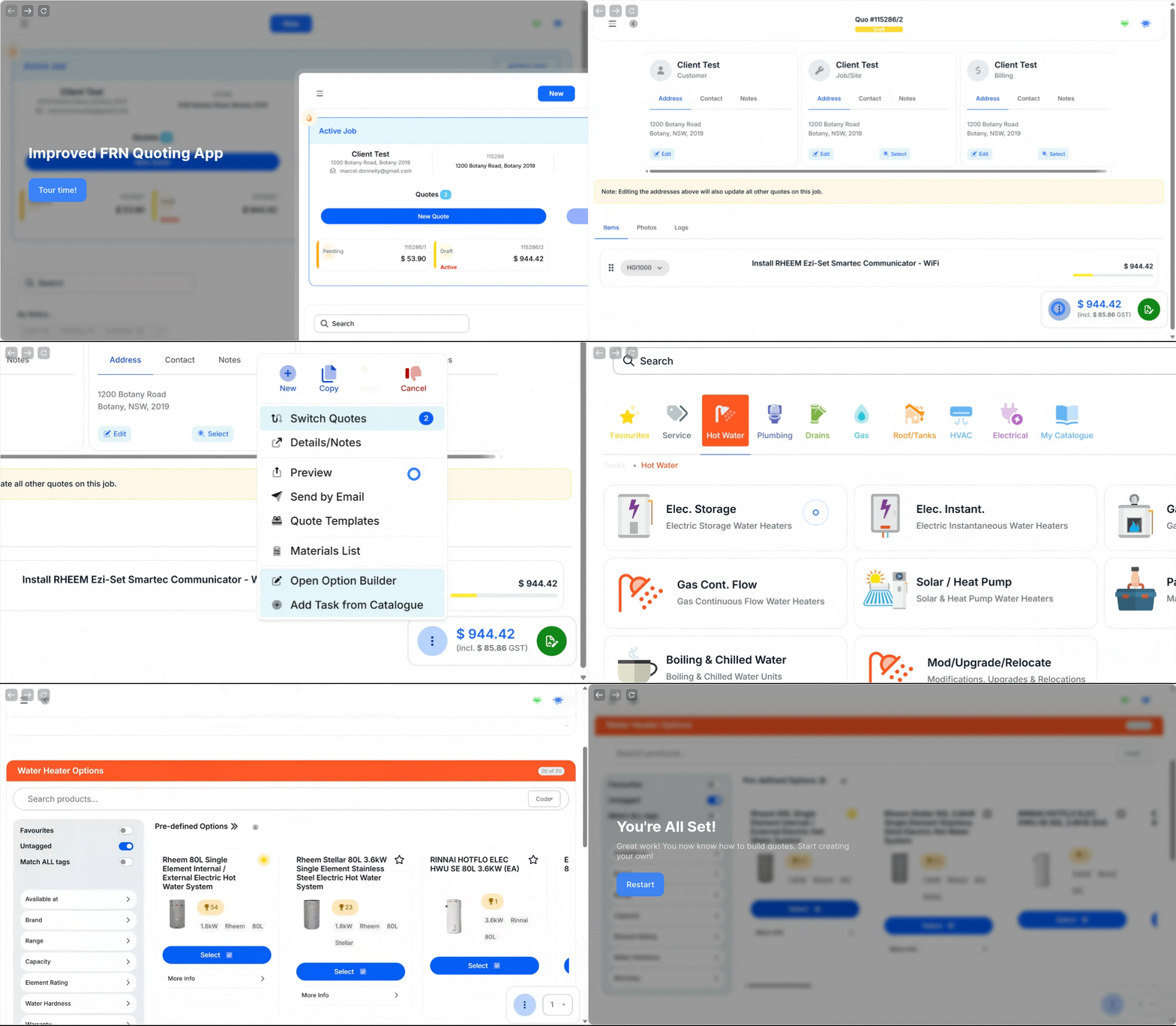
We are excited to begin rolling out changes to the quoting app whereby the focus is on improving your experience and further assisting your ability to create complete quote solutions for your customer while onsite!
View the tutorials for the key changes available now:
- Hot Lead - Tutorial Link
- Available through Job list & 'Send by Email' prompt in Quote view
- Updated 'Send by Email' view - Tutorial Link
- Updated Acceptance view - Tutorial Link
- Automatic Quote Follow Up - Tutorial Link
- Learn how to enable this feature here.
- Overall look of app - Tutorial Link
- Initial/Deposit Payment - Tutorial Link
- FRNPay must be enabled for this feature to work
Here is the detailed full list of changes per Friday 21/11/2025, that are available and coming soon:
- Updated Look
- The Quoting App has been updated to look and feel more modern
- Significant optimisations for mobile users
- Job List is now the Home Page
- 'New' job creation button is now at the top of the Job List
- The 'Active' job will appear at the top of the job list
- 'Filter By Status' (coming soon)
- New 'Hot Lead' feature
- Hot Lead will create an appointment for the tradie the following day to call the client
- Hot Lead will apply a fire symbol on the top left corner
- Refreshed button placements for better use
- Quote View
- All action functions will now load in the right hand side bar
- New Photos tab
- New Logs tab
- New 'Customer' notes
- Notes recorded on the Customer will automatically appear on all new jobs. Useful for informing team members are key information on future jobs such as "customer adores their dogs, bring dog treat when visiting".
- All action buttons are now accessible in a single location
-
- Send by Email Improved
- Preview quote email and make changes to email body before sending
- 'Hot Lead' can be applied from this view
- Automatic Quote Follow up can be triggered/not triggered from this view
- Deposit/Initial payment required and amount required ($) on accept via Online Quote View can be triggered from this view
- Send by Email Improved
-
- Send by SMS (coming soon)
- 'Details/Notes' will display the new 'Customer Notes'
- These notes are recorded against the Customer's record and will appear on all future jobs
- These notes DO NOT appear on the Quote PDF
- 'Customer Notes' are now labelled 'Quote Notes'
- Top and bottom of app no longer hides while scrolling
- Multi-Quote Preview (Coming soon)
- Quote Accepting View
- Look updated to be modern
- Deposit/Initial Payment Required now available
- This feature is only available with FRNPay
- New Signature screen
- Force rotation of the device to provide more space to collect signature and assist with customers that are not tech-savvy
- Catalogue
- View of catalogue now horizontal rather than vertical
- Please note: Vertical view of catalogue will return shortly.
- View of catalogue now horizontal rather than vertical
- Invoice
- Invoice view updated to look modern
- All actions are now available in one location within 'Action Menu'
- Green Pay button now available
- New 'Notes' tab
- Location for 'Invoice Notes'
- New 'Photos' tab
- Photos are now visible here.
- Confirmed Invoices can now be cancelled from the Office View
- Payments will remain on cancelled invoices unless 'reversed'
- Pay
- Pay view updated to look modern
- Other Improvements
- Updated notes to Job Management System when quote sent, quote accepted, quote cancelled and payments
- Quotes marked as Complete or Invoiced can now be cancelled and reverted back to Accepted to re-invoice
- Pending, Cancelled and Unaccepted quotes can now be reverted back to Draft
- Pending Quotes that expire or complete their automatic follow-up process will now automatically be set to 'Unaccepted'
- Task 'Add copy to quote' button
- You can now duplicate tasks on quotes efficiently by clicking 'Add a copy to quote' from the task menu